
Write the Capstone First: Learning Path Design for L&D Teams
Practical roadmap for L&D teams to turn Backward Design and curriculum mapping into capstone-first learning paths, with pilot plans and stage rules.
By the Hopper team
A learning path is a sequenced set of milestones, tied to a real outcome, gated by evidence rather than the clock. The single most important move is to design backward: define what mastery looks like, decide what evidence proves it, then build content and stage gates that produce that evidence. Draft one measurable outcome and its first milestone before you touch a single video, slide, or module.
TL;DR:
- Learning paths are designed backward from clear, measurable outcomes, with assessments and milestones built to verify skill mastery at each stage.
- It is critical to match assessment types to evidence needed, such as performance tasks for skills and quizzes for knowledge, and to build rubrics before content.
- Breaking paths into stages of five to ten hours and spacing practice over weeks significantly improves long-term retention and skill transfer.
- A small diagnostic assessment at entry can personalize pathways by placing learners at appropriate stages and allowing manual branching rules for non-adaptive programs.
- Ongoing maintenance, clear ownership, and regular review are essential to keep a path relevant, accurate, and effective over time.
Table of Contents
- What Makes Learning Path Design Different From a Course or a Playlist
- Which Design Frameworks Should Guide a Learning Path?
- How Do You Build a Learning Path Step by Step?
- How Long Should a Learning Path Be, and How Do You Space Practice?
- How Do You Design Milestones and Assessments That Actually Gate Progress?
- How Do You Personalize a Learning Path Without Building a Custom Engine?
- What's the Right Mix of Content Formats in a Learning Path?
- Who Should Own a Learning Path Launch, and How Do You Pilot It?
- How Do You Measure Whether a Learning Path Is Working?
- What Mistakes Should You Watch for Before Launch?
- How Do You Design Learning Paths That Work for Every Learner?
- How Do You Analyze Learner Needs Before Designing the Path?
- Which Learning Technologies Actually Support Path Design?
- How Do You Keep Learners Motivated Through a Long Path?
- How Do You Keep a Learning Path Useful as It Ages?
- Practical Lessons From Designing Learning Paths at Scale
- Where an All-in-One Platform Fits Into Learning Path Design
- Sources
- FAQ
What Makes Learning Path Design Different From a Course or a Playlist
A course teaches a topic. A playlist collects content around a theme. A learning path does neither. It sequences skills toward a defined, observable outcome, with checkpoints that confirm the learner actually acquired each one before moving forward.
That distinction sounds academic until you watch what happens without it. A new hire finishes a "customer service fundamentals" course and still can't de-escalate an angry client call. The course covered the material. It never verified the skill. A path, by contrast, would gate that module behind a role-play assessment because the outcome was never "know the theory," it was "handle the call."
Most learning path design falls into a handful of recognizable categories, each solving a different organizational problem:
- Onboarding paths compress the time between hire date and independent contribution, usually sequencing company context, tool access, and first supervised tasks.
- Certification paths prove competence against an external or internal standard, often ending in a proctored exam or practical demonstration.
- Upskilling paths close a specific, named skill gap in an existing role, like moving a support rep into a technical specialist function.
- Career progression paths map the skills someone needs to move from one job level to the next, often blending technical and leadership competencies.
- Role-based paths standardize what "competent" means for a specific job title across a large or distributed team.
The payoff for structuring content this way is not just tidier org charts. Learners in a well-sequenced path report faster time-to-competency because they aren't guessing which module matters, and organizations get a defensible answer to "how do we know training worked" because the evidence and milestones built into the path generate that proof automatically. A playlist can't answer that question. A path can.
Which Design Frameworks Should Guide a Learning Path?
Three frameworks do most of the heavy lifting in professional learning path design, and none of them require a certification to apply correctly.
Backward Design starts at the finish line. You define the outcome first, then decide what evidence would convince a skeptic the learner achieved it, and only then build the activities that produce that evidence. Backward design in education reverses the instinct most new designers have, which is to start collecting content and figure out the assessment later. A short example: the outcome is "can write a compliant client email without supervision." The evidence is a graded writing sample against a rubric. The learning plan works backward from there, teaching only what's needed to hit that rubric.
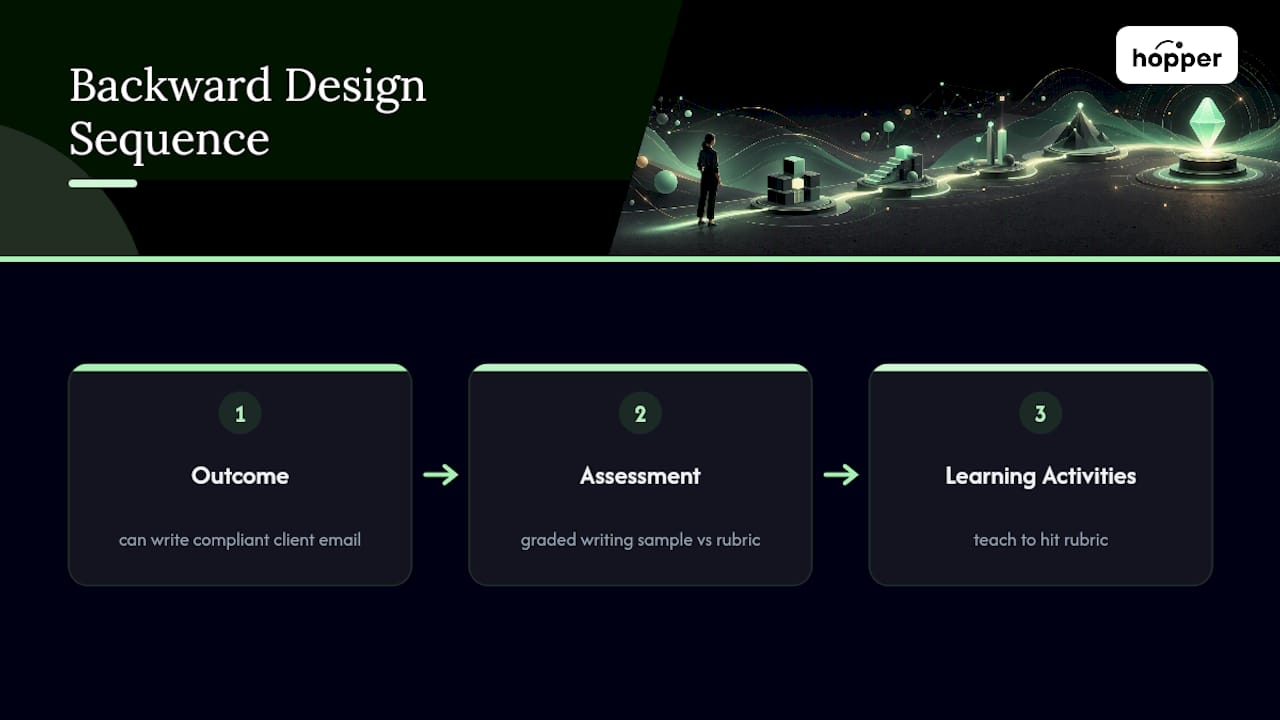
Understanding by Design (UbD) is the formalized version of backward design, built around a three-stage structure: Desired Results, Assessment Evidence, and Learning Plan. The UbD framework puts particular weight on transfer, meaning the goal isn't recall inside the training environment, it's application somewhere the learner will actually be judged, like a live sales call or a production deployment.
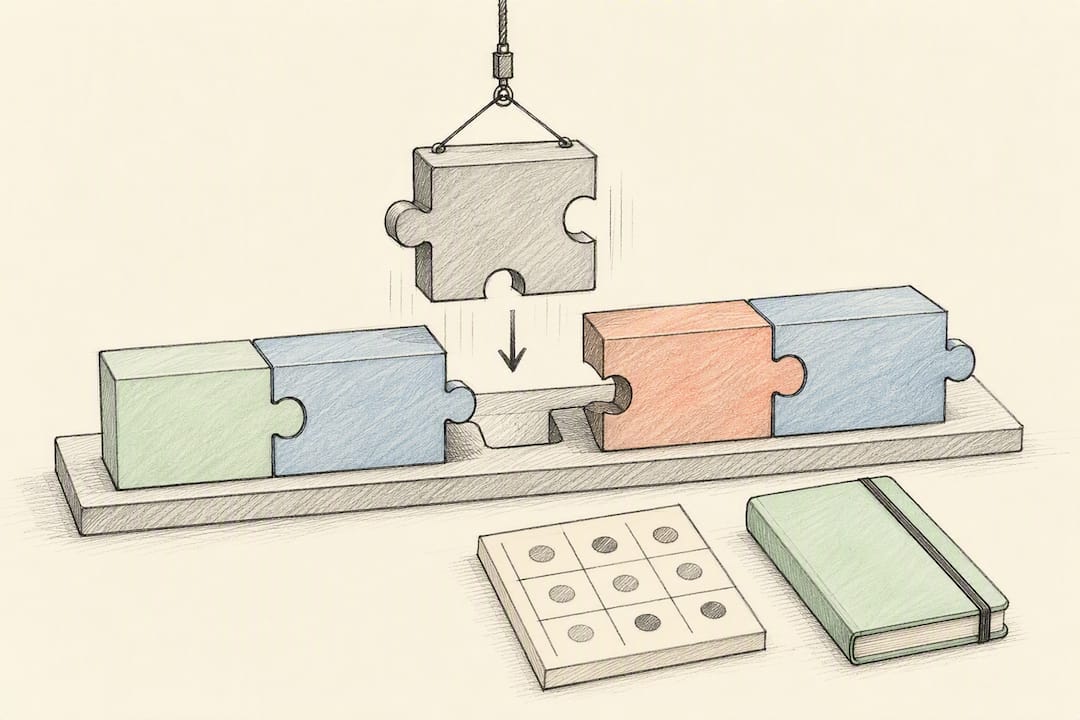
Curriculum mapping solves a different problem: coherence across modules, not just within one. It asks whether module three actually builds on what module two taught, and whether skills introduced early get reinforced later instead of vanishing. The Connecticut curriculum design framework names this explicitly through its coherence and focused-progression principles, both of which apply just as cleanly to a corporate certification path as to a school curriculum.
A path where every module was individually well designed can still fail if nobody checked whether module four assumed a skill that module two never actually taught.
You rarely need to choose just one framework. A common combination: use Backward Design at the path level to lock the terminal outcome, then use curriculum mapping to check that the sequence of modules underneath it forms a coherent, non-redundant progression. Constructive alignment sits underneath both, as a discipline rather than a separate framework: it simply means every activity, assessment, and stated outcome across the path point at the same skill, worded the same way, every time.
How Do You Build a Learning Path Step by Step?
Frameworks tell you what good design looks like. This is the order of operations that gets you there without backtracking three times.
-
Define measurable, behavioral outcomes. Write outcomes as observable actions, not knowledge claims. "Can debug a null pointer exception in under ten minutes" beats "understands common Java errors" because the first one is testable and the second one is opinion.
-
Decide acceptable evidence and build the assessment first. Before writing a single lesson, write the rubric or the pass criteria. If you can't specify what a passing answer looks like, the outcome statement isn't specific enough yet.
-
Map prerequisites and build a skill dependency graph. List every skill the terminal outcome requires, then trace which of those skills depend on other, earlier skills. This graph, even sketched on a whiteboard, is what prevents the "module four assumes a skill nobody taught" problem.
-
Sequence content using tell, show, do, review. Explain the concept briefly, demonstrate it in context, have the learner perform it, then have them review their own performance against the rubric before moving on. Skipping the "do" step is the single most common shortcut that produces paths people complete without becoming competent.
-
Create milestones, capstones, and application work. A milestone confirms a sub-skill. A capstone confirms the whole terminal outcome, ideally in a setting close to the real job. Pathways that skip application work and end at a quiz tend to produce learners who can pass the quiz and still struggle on the actual task, because recognition and performance are different skills.
-
Pilot, collect data, and iterate. Run the path with a small group before a full rollout. Watch completion rates by stage, not just overall completion, because a stage with a sudden drop tells you exactly where the design failed.
Pro Tip: Write the capstone assessment before you write the first lesson. If you can't picture what a passing capstone submission looks like, you don't know your outcome well enough to sequence anything underneath it yet.
This order matters more than any individual step. Teams that build content first and bolt on assessments afterward almost always end up with activities that don't actually measure the outcome they claim to support, because the content was written to fill time, not to produce evidence.
How Long Should a Learning Path Be, and How Do You Space Practice?
Length is the most common design mistake, and it runs in both directions. Paths that try to cover too much in one continuous block overload working memory long before the content finishes. Paths that are too short skip the repeated exposure that actually builds retention.
A workable rule of thumb: break any path longer than a few sessions into stages of roughly five to ten hours of learner effort each, with a clear milestone closing every stage. That size is large enough to cover a coherent chunk of skill, small enough that a learner can complete it in a week without the earlier material fading from memory.
Spacing is where most of the retention gains actually happen. Distributed retrieval practice beats massed, one-time review for long-term retention, and the mechanism is straightforward: forcing a learner to recall something after a delay, rather than immediately after seeing it, strengthens the memory trace more than repeated immediate review.
Practical tactics that build spacing into a path without extra tooling:
- Reintroduce a concept from stage one as a warm-up question in stage three, forcing retrieval instead of re-exposure.
- Interleave problem types instead of blocking them, so learners practice distinguishing between skills, not just executing one skill repeatedly.
- Schedule a short retrieval quiz a few days after a module closes, not immediately at the end of it.
- Use spaced check-ins in async coaching threads to prompt recall of earlier material before introducing new content.
Retention research consistently favors spacing over cramming when comparing equal total study time, which is the argument for stretching a path across weeks rather than compressing it into a single binge session, even when the total hours are identical.
How Do You Design Milestones and Assessments That Actually Gate Progress?
An assessment only works as a gate if it produces evidence that matches the outcome it's checking. A multiple-choice quiz can verify recall. It cannot verify whether someone can run a difficult client conversation, no matter how many questions you add.
-
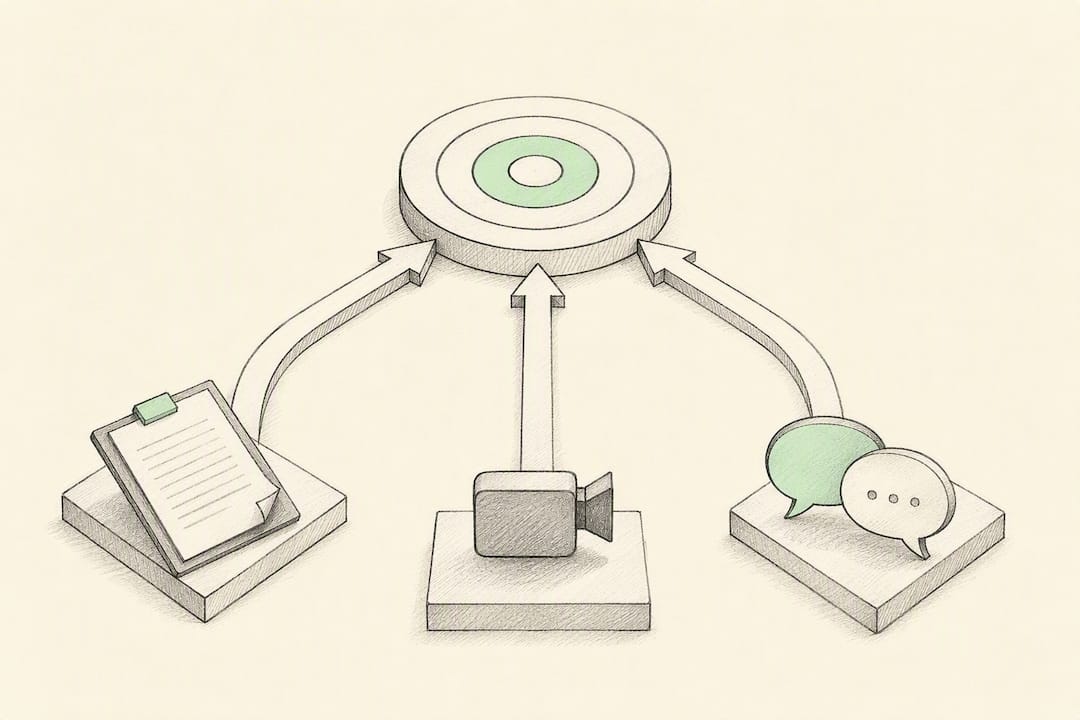
Match assessment type to evidence need. Knowledge outcomes get quizzes and short-answer checks. Skill outcomes need performance tasks: a simulation, a graded work sample, a recorded role-play, a real project deliverable.
-
Build the rubric before the pass/fail rule. Score dimensions separately (accuracy, completeness, judgment) rather than issuing one holistic grade, then decide the minimum acceptable score on each dimension. A rubric that only produces one number hides exactly where a learner is weak.
-
Offer test-out for learners who can already demonstrate the outcome. Someone who passes the stage-three capstone on day one shouldn't sit through stage one and two content they've already mastered. A short diagnostic at entry, scored against the same rubric used for the real capstone, is enough to decide who bypasses ahead.
Pathways that include real application work, not just recognition-based testing, produce far stronger transfer to the actual job. Formal programs that stop at a quiz and never require the learner to perform the task in a realistic setting routinely see that transfer gap show up later, when managers report the training "didn't stick."
How Do You Personalize a Learning Path Without Building a Custom Engine?
Personalization sounds like it requires adaptive software and a data science team. Most of the value comes from three simple mechanisms any team can run manually.
A short diagnostic at entry, ten to fifteen questions mapped to the path's core skills, is enough to place a learner at the right starting stage instead of forcing everyone through the same beginning regardless of what they already know. Score it against the same rubric dimensions you use for the real assessments, so the diagnostic and the capstone speak the same language.
From there, branching only needs three rules to cover most cases:
- Score above the threshold on a stage's diagnostic: skip that stage entirely.
- Score in the middle range: compress the stage into a shorter, review-only version.
- Score below the threshold: route into a remediation module before continuing.
Keep those rules observable and simple. Branching logic that tries to account for a dozen combined conditions tends to become expensive to maintain and slow to author, without a proportional gain in learner outcomes. Save automated adaptive engines, like the personalized path agents some platforms now offer, for paths with genuinely large learner populations and enough historical data to tune the branching logic reliably. For a path serving fifty or a hundred learners, three manual rules applied by a facilitator will outperform a poorly tuned automated system every time.
What's the Right Mix of Content Formats in a Learning Path?
The format mix should follow the outcome, not the other way around. A path teaching a technical skill, like a coding language or a compliance procedure, leans harder on demonstration and repeated practice. A path building leadership or judgment skills leans harder on discussion, coaching, and reflection, because those outcomes don't reduce to a single correct procedure.
A workable starting ratio for most professional paths: roughly a third theory and explanation, a third guided or independent practice, and a third application work that resembles the real job, whether that's a project, a coached scenario, or a supervised task. Technical paths often shift more weight toward practice; leadership paths shift more toward coaching and peer discussion.
Formats worth building into most paths regardless of subject:
- Short instructional content (video, reading, or a walkthrough) to introduce a concept, kept tight enough that it doesn't become the whole module.
- Guided practice where the learner attempts the skill with feedback available, not silently graded after the fact.
- Async coaching or peer review, where a coach or peer critiques a real attempt against the rubric, catching errors a self-check would miss.
- Capstone or on-the-job application, the piece most paths shortchange, even though it's the one most tied to actual transfer.
Curation matters as much as creation. Very few teams need to build every asset from scratch. Combining a smaller set of strong internal assets, the ones specific to your product, process, or context, with well-chosen external resources for generic skills usually beats an all-internal library that's expensive to maintain and thinner on genuinely good explanations.
Who Should Own a Learning Path Launch, and How Do You Pilot It?
A launch fails less often because of bad content and more often because nobody owned the handoffs between design, delivery, and management support.
-
Assign clear roles before design starts. The instructional designer owns outcomes, sequencing, and assessment design. A subject matter expert validates that the content and rubrics reflect real job standards. A manager or team lead owns learner accountability and application follow-through after each module. Whoever owns the platform owns access, enrollment, and reporting.
-
Pilot with a small, representative group first. Ten to twenty learners, chosen to reflect the range of prior experience you'll see at scale, not just your most engaged team members. Set success criteria before the pilot starts: a target completion rate by stage, a target pass rate on the capstone, and a qualitative check with participants about where the pacing felt wrong.
-
Build the communication and facilitator plan alongside the content. Learners need to know why the path exists and what happens after they finish it. Facilitators, whether that's a coach, a manager, or a support channel, need a short brief on where learners typically get stuck, so they're not troubleshooting blind during rollout.
The pilot is not a formality to get through before the "real" launch. It's the cheapest point in the entire process to catch a sequencing error, because fixing it after five hundred people have gone through a broken stage three is a very different cost than fixing it after twenty.
How Do You Measure Whether a Learning Path Is Working?
A learning path launch is the start of a measurement cycle, not the end of the project. The path you ship on day one should be treated as a draft that data will improve.
A minimal but genuinely useful set of KPIs, tracked per stage rather than only in aggregate, looks like this:
| Metric | What it tells you | Why it matters |
|---|---|---|
| Completion rate per stage | Where learners drop off | Pinpoints exactly which stage is too long, too hard, or poorly explained |
| Assessment pass rate | Whether content actually teaches the skill | A low pass rate after multiple attempts flags a content gap, not just a hard test |
| Median time on stage | Whether pacing matches your design assumption | A stage taking twice the planned time signals a hidden prerequisite gap |
| Time to competency | Overall path efficiency | The core business metric stakeholders actually care about |
| Manager-reported application | Whether skills transfer to the real job | Catches the gap between "passed the test" and "does the job differently now" |
None of these numbers mean much in isolation. A high completion rate paired with a low capstone pass rate tells you learners are finishing without absorbing the material, probably because a middle stage is too easy relative to the final assessment. Triangulate all three types of signal, engagement, assessment results, and downstream business or performance outcomes, before deciding what to change.
The iteration cycle itself can stay lightweight: review stage-level data every two weeks during a pilot, identify the single worst-performing stage, fix that one thing, and re-measure before touching anything else. Chasing five fixes at once makes it impossible to know which change actually helped.
What Mistakes Should You Watch for Before Launch?
Most failed paths share the same handful of root causes, and most of them show up in the pilot if you're watching for them.
- Outcome too vague to assess. If two designers graded the same capstone differently, the outcome statement needs rewriting, not the rubric.
- Content built before the assessment. Modules that don't map cleanly to a specific rubric line are usually filler, even when they feel comprehensive.
- No application or capstone work. A path that ends at a quiz rarely produces the workplace transfer stakeholders expect.
- Uniform pacing regardless of prior skill. Forcing advanced learners through beginner content burns goodwill fast.
- No pilot data reviewed before full rollout. The two riskiest errors, a broken stage and a mismatched assessment, both surface in pilot completion and pass-rate data if anyone looks.
A one-page prelaunch check, worth copying into your own process:
How Do You Design Learning Paths That Work for Every Learner?
Accessibility in a learning path isn't a compliance checkbox added after the content is finished. It shapes format choices from the first draft.
Video content needs captions and, ideally, transcripts, both for learners with hearing differences and for anyone reviewing material in a noisy or quiet-required environment. Written content should follow a clear heading structure and avoid relying on color alone to convey meaning, since color-only cues fail for learners with color vision differences and often fail on low-quality mobile screens too.
Pacing itself is an accessibility issue. A path with a single fixed time limit per stage disadvantages learners who process information differently, including many with ADHD or dyslexia, and it disadvantages anyone learning in a second language. Self-paced stage gates, rather than hard calendar deadlines, let learners take the time they genuinely need without being flagged as behind.
Assessment design carries its own inclusivity questions. A rubric that rewards a specific communication style, rather than the underlying skill it's meant to measure, quietly penalizes learners from different cultural or linguistic backgrounds even when their actual competence is equal. Reviewing rubrics for language that assumes a particular vocabulary or communication norm, rather than the skill itself, catches a surprising number of these blind spots.
Inclusive design also means building multiple paths to demonstrate the same competency where the job allows it. Not every learner proves mastery best through a timed written test. A recorded demonstration, a portfolio piece, or a live conversation can measure the same rubric dimensions for a learner who performs better under a different format.
How Do You Analyze Learner Needs Before Designing the Path?
Skipping needs analysis is how teams end up building a path for the learner they imagined instead of the learner they actually have.
Start with a skill gap analysis: compare what the target role actually requires against what current performance data shows. Performance reviews, error logs, support ticket categories, and manager interviews all surface gaps more reliably than asking learners what they think they need, since self-assessed skill gaps are notoriously unreliable, especially among less experienced employees who don't yet know what they don't know.
Learner profiling adds the second half of the picture: who is actually going to take this path, and what do they bring in already? Prior experience level, typical device and time constraints (a field technician learning on a phone between jobs needs a very different format than an office employee at a desk), and language or accessibility needs all shape design decisions long before you write a single outcome statement.
A short diagnostic assessment, given before design even starts, on a sample of the target population, does double duty: it validates whether the skill gap you assumed actually exists at the scale you think, and it gives you real baseline data to compare against post-launch results. Skipping this step is how teams discover, three months into a rollout, that the audience already knew half of what stage one taught.
Combine the two: a skill gap analysis defines what the path needs to teach, and a learner profile defines how it needs to teach it.
Which Learning Technologies Actually Support Path Design?
The learning management system is the backbone, but it's not the only tool doing real work in a path's design and delivery.
An LMS or its equivalent needs to support sequencing with actual prerequisite locks, not just a list of modules a learner can click through in any order. It needs stage-level reporting, not just an overall completion percentage, because that's the data you use to find where a path breaks. And it needs to support the assessment types your outcomes actually require, whether that's a rubric-graded submission, a timed quiz, or an async coaching thread review.
Authoring tools sit alongside the LMS and handle the actual content production, from interactive scenario builders to simple video and slide tools. The mistake many teams make is picking the authoring tool first and letting its capabilities dictate the design, rather than deciding the outcome and evidence first and choosing tools that can produce that specific evidence.
Adaptive and AI-assisted features are increasingly common additions, including path agents that select content based on a learner's role and proficiency rather than a fixed sequence. These features genuinely reduce authoring overhead for large, varied learner populations. They're not a substitute for the manual branching rules discussed earlier when your population is small enough that three simple rules do the job just as well, at a fraction of the setup cost.
How Do You Keep Learners Motivated Through a Long Path?
Motivation drops predictably at specific points in a path, and most of those drops are fixable with design, not cheerleading.
The first drop happens right after the initial burst of enthusiasm fades, usually during the second or third stage, once novelty wears off and the real work starts. Visible progress markers, a stage counter, a percent-complete indicator, a short recap of what's been mastered so far, counter this by making invisible progress visible.
The second drop happens when a stage feels disconnected from the reason the learner started. Tying each milestone explicitly back to the terminal outcome ("this rubric skill is what lets you handle escalations solo") keeps the "why" present instead of buried in a syllabus nobody rereads.
Social accountability does real work here too. Cohort-based pacing, peer review checkpoints, or a coach who checks in between stages all create a mild social cost to disappearing, which plain self-paced content never generates on its own. Some teams add light gamification, badges for milestone completion, visible streaks, leaderboards within a cohort, and it can help, though it works best layered onto genuinely good sequencing rather than substituting for it. A badge for finishing a poorly designed stage doesn't fix the stage.
Finally, feedback speed matters more than most designers expect. A learner who submits a capstone and waits two weeks for a grade loses the connection between effort and outcome. Fast, specific feedback, even informal, keeps the loop tight enough that learners stay engaged with what they're actually supposed to be learning.
How Do You Keep a Learning Path Useful as It Ages?
A path that isn't maintained decays quietly. The content stays technically accurate while the job it's training people for changes underneath it, and nobody notices until performance data starts drifting from what the path predicts.
Build a review cadence into the path from the start, not as an afterthought once something breaks. A reasonable default is a full content and outcome review every six to twelve months, with a lighter check of KPI dashboards on a much shorter cycle, since treating a launch as the start of an evaluation cycle rather than the finish line is what actually catches drift early.
Scalability is a design decision, not just an infrastructure one. A path built around one facilitator's personal coaching style is hard to scale to ten cohorts running in parallel; a path built around clear rubrics and documented facilitator guidance scales because any qualified coach can run it consistently. The same applies to content format: heavily bespoke, hand-built interactive scenarios are expensive to update when the underlying process changes, while modular content, where a single outdated step can be swapped without touching the rest of the path, ages far better.
Ownership matters as much as process. A path with no named owner after launch is a path nobody updates when the job changes, the compliance requirement shifts, or the tool the training references gets replaced. Assign that ownership explicitly at launch, with the review cadence written into the same document as the launch plan, so maintenance isn't something someone has to remember to schedule later.
Practical Lessons From Designing Learning Paths at Scale
The gap between a well-designed path on paper and a path that actually changes behavior almost always comes down to one thing: whether anyone built real application work into it, or stopped at recognition. Quizzes are cheap to build and satisfying to grade. They are also the reason so many completion-rate dashboards look great while managers quietly complain that "the training didn't take."
If you're a small team without a full instructional design department, the highest-leverage move isn't more content, it's writing the capstone rubric before anything else. Everything else in the path can be imperfect and still work if the rubric is right, because the rubric is what tells you where to fix things later.
The honest trade-off worth naming: rigorous backward design takes longer up front than assembling existing content into a playlist and calling it a path. Teams under deadline pressure often skip straight to content assembly, and the path ships faster. It also breaks faster, usually right around the point where someone asks for proof it worked.
— Cedrik
Where an All-in-One Platform Fits Into Learning Path Design
Everything above works regardless of the tool underneath it. Where the tool starts to matter is execution speed, especially for a small design team juggling content, sequencing, coaching, and reporting across separate systems that don't talk to each other.

An all-in-one platform can put a content library, sequencing, async coaching, and a storefront in one hub, so a path designed on paper doesn't require stitching together a course host, a community tool, and a separate coaching thread just to ship it. Platforms may offer native iOS and Android apps, so learners working through milestones on a phone aren't stuck with a browser-only experience. Teams migrating an existing path off another system often get migration support rather than a rebuild from scratch.
Before picking any platform, ask it three questions directly: can it lock prerequisites so a learner can't skip a stage gate, does it report completion and pass rates per stage rather than just overall, and does the coaching or feedback loop live inside the same tool as the content. If the answer to any of those is "you'd need another subscription for that," you're rebuilding the tool sprawl this whole design process is supposed to eliminate. Hopper's own product overview walks through how the hub structure covers all three, and the users share how the switch changed their operations if you want a sense of what migrating an existing path actually looks like in practice.
Sources
The frameworks referenced throughout this guide are drawn from established instructional design literature, worth bookmarking if you need to justify a design decision to a stakeholder later:
- Backward design in education
- UbD white paper (Understanding by Design)
- K–12 Universal Curriculum Design Principles (Connecticut)
- Spaced practice (UC San Diego guidance)
- Learning Paths: Complete Guide to Creating Them | isEazy
FAQ
Can You Build Your Own LMS?
Technically yes, but most teams get better results faster from an existing platform. Building a custom LMS means owning hosting, security, sequencing logic, and reporting from scratch, while an established platform, including an all-in-one hub like Hopper, already handles prerequisite gating and stage-level reporting out of the box.
What Are the Core Principles of Instructional Design?
There's no single universal list, but the most commonly cited principles across frameworks include starting with clear, measurable outcomes, aligning assessments directly to those outcomes, sequencing content from simple to complex, spacing practice over time rather than massing it, and iterating based on learner performance data.
What Is an Example of a Learning Pathway?
A common example is an onboarding path: new hires move through company context, tool training, and supervised first tasks, each stage gated by a short assessment, ending in a capstone where they complete a real task independently before being marked fully onboarded.
What Is a Learning Path?
A learning path is a sequenced set of skills and milestones built around a specific, measurable outcome, with evidence-based checkpoints, or stage gates, that confirm mastery before a learner advances, rather than a loose collection of related content.
Recommended
On our list and want off? .