
How to Migrate From Kajabi Without Losing Members or Rankings
Learn how to successfully migrate from Kajabi while keeping your members and search rankings intact. Follow our expert guide to ensure a smooth transition.
By the Hopper team
A staged migration, moving through inventory, rebuild, testing, and a final DNS cutover, is what keeps your members enrolled and your search rankings intact. The first move is not choosing a new platform. It's a full inventory and backup of everything currently living inside Kajabi. Simple businesses can wrap this up in 2 to 4 weeks; anything with active funnels, multiple integrations, or hundreds of subscribers should plan for 6 to 12.
TL;DR:
- Automations, funnels, and active subscriptions need to be documented and rebuilt, as they do not transfer automatically from Kajabi.
- A parallel run of two to four weeks is critical for testing and ensuring member continuity before canceling Kajabi.
- The migration process involves four key deliverables: a URL list, redirect spreadsheet, content backup folder, and documented automations.
- Platform features such as native community, unlimited members, and built-in storefront simplify migration and reduce future upgrade costs.
- A free migration service can handle content transfer into Hopper, but thorough testing during the parallel period remains essential.
Table of Contents
- How to Prepare for a Kajabi Migration: The Full Audit
- What Actually Transfers From Kajabi and What You Have to Rebuild
- What Is the Step-by-Step Process to Migrate From Kajabi?
- What Should You Look for in a Kajabi Replacement Platform?
- How Hopper Solves the Common Kajabi Migration Problems
- What Most Migration Guides Get Backward
- Get a Free Migration Handled for You
- Sources
- FAQ
How to Prepare for a Kajabi Migration: The Full Audit
Before you touch a new platform, you need to know exactly what's living inside your Kajabi account. Skipping this step is how people lose testimonials, forget about an automation that's quietly nurturing 200 leads, or discover mid-migration that a checkout page they'd forgotten about is still driving sales.

Start by inventorying everything: courses and lessons, media files, funnels, automations, offers and coupons, affiliate programs, third-party integrations, blog posts, standalone pages, and payment records. Treat this like a moving-day walkthrough. If it's not on the list, it doesn't get packed.
Once you've mapped what exists, start exporting:
- Download every video and audio file directly, don't rely on the new platform to pull them for you
- Export your full contacts list as a CSV
- Pull complete transaction history for accounting and subscription reference
- Save PDFs, worksheets, and any downloadable assets tied to your courses
- Screenshot or document funnel logic and automation sequences, since these rarely transfer as-is
While you're in there, do your SEO homework. Crawl your existing site, pull your top-performing pages from Search Console and Analytics, and build a spreadsheet mapping every current URL to where it will live after the move. This single document becomes the backbone of your redirect and SEO preservation plan later.
By the end of this stage you should have four concrete deliverables: a complete URL list, a redirect spreadsheet, a content backup folder with every media file, and written documentation of your automations. Miss this step and you're rebuilding from memory, which is how important pieces quietly disappear.
What Actually Transfers From Kajabi and What You Have to Rebuild
Some of your content is portable. A lot of it isn't, and knowing the difference before you commit to a platform will save you weeks of frustration.
What typically exports cleanly:
- Video files and downloadable PDFs
- Contact lists as CSV exports
- Transaction and payment history reports
- Page and template layouts, though usually only as visual reference, not as functional imports
You can download video files, PDFs, and export contacts and transaction reports from Kajabi without much trouble, but platform-specific templates are often only useful as a reference point rather than something you can drop directly into a new system.
What doesn't survive the move:
- Member passwords, since these can't be exported for security reasons and every member will need to reset theirs
- Active recurring billing and subscriptions, which live inside Kajabi's payment processor and don't transfer automatically
- Automations, pipelines, and marketing funnels, which are built on Kajabi's internal logic and have to be recreated from scratch
- Community discussion history and engagement threads
Platform-specific automations and checkout funnels rarely survive a move, which is why they need to be documented and rebuilt in the new environment before you cut over, not after.
The practical workaround for subscriptions is a coupon-based re-enrollment: you bulk-enroll existing members into the new platform's course structure, then issue coupon codes that let them re-subscribe at their existing price point without a lapse in access. Certificates, if your courses issue them, usually need to be regenerated manually or reissued through a new integration.
Pro Tip: Count your active subscribers, live funnels, and third-party integrations before you estimate a timeline. Ten subscribers and one funnel is a two-week project. Three hundred subscribers, five funnels, and a CRM integration is closer to three months.
The more moving parts, the longer the runway. A creator with a single evergreen course and a short email sequence can realistically finish in a few weeks. A coach managing several active cohorts, an affiliate program, and connected automations should plan on a couple of months as a reasonable timeline.
What Is the Step-by-Step Process to Migrate From Kajabi?
This is the sequence that keeps you from breaking something mid-move. Follow it in order. Skipping ahead to DNS changes before your new platform is fully tested is the single most common way migrations go sideways.
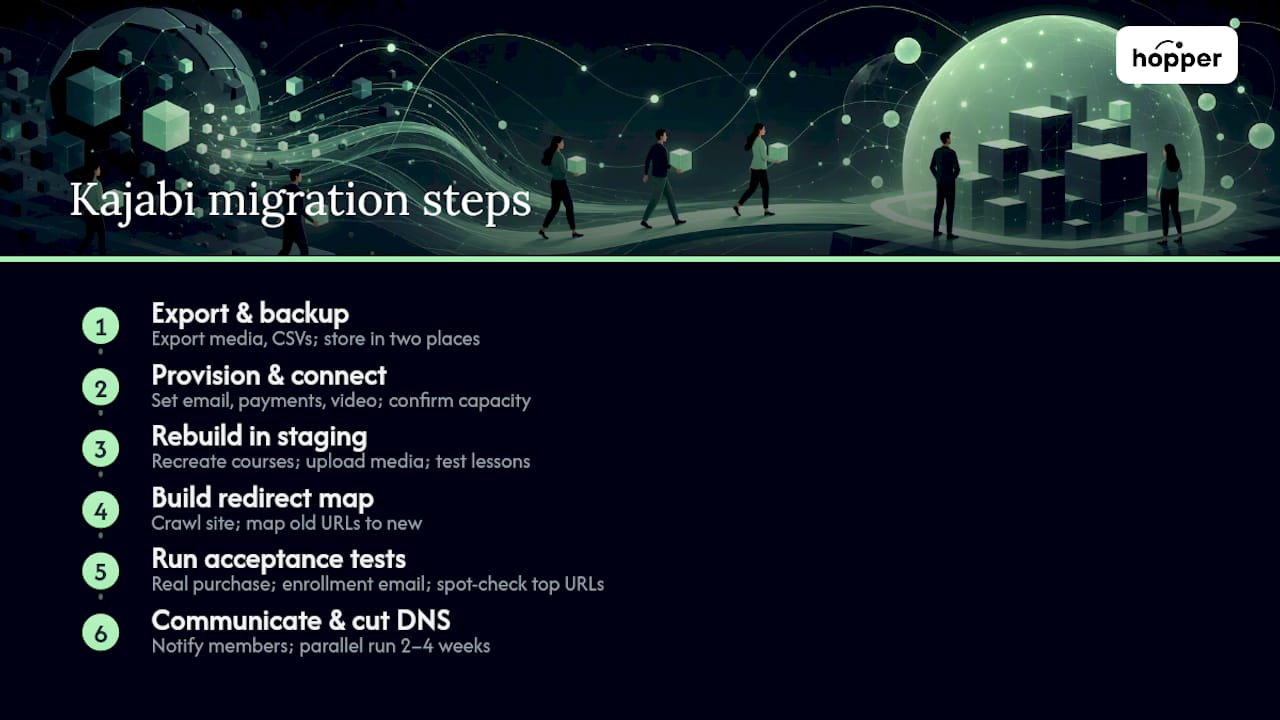
1. Export everything and back it up twice. Download your media library, export contacts and transactions as CSVs, and save every template and automation as documentation. Store copies in at least two places, cloud storage and a local drive, before you delete or change anything in Kajabi.
2. Provision your new platform and connect integrations first. Set up your email provider, payment processor, and video hosting inside the new platform before you go anywhere near your domain's DNS settings. This is also when you confirm the new platform can actually handle your contact volume without hitting a cap.
3. Rebuild in staging, not live. Recreate your courses, drip schedules, quiz logic, and coupon structures in a staging or unpublished environment. Upload your media library and confirm every lesson plays back correctly before members ever see it.
4. Build your redirect map. Take the URL spreadsheet from your audit and match every old Kajabi URL to its new address. Crawling your existing site with a tool like Screaming Frog before the move gives you a complete list of live URLs, so nothing falls through the cracks. Run a fresh crawl on staging to catch broken internal links before launch.
5. Run real acceptance tests. This is not optional and it's not a formality. Make an actual test purchase with a real card. Confirm the enrollment email fires and access unlocks immediately. Spot-check your top 20 highest-traffic URLs to confirm they resolve correctly on the new platform. Don't cancel anything on Kajabi until every one of these tests passes.
6. Communicate with your members before you flip the switch. Give them a specific timeline, clear instructions for creating their new account, and a coupon link if they're mid-cycle on a subscription. Silence here is what generates support tickets and refund requests.
7. Cut over DNS last, and run both platforms in parallel. A parallel run of 2 to 4 weeks with both platforms live gives you a safety net if something breaks after launch. Monitor Search Console and your analytics daily during this window. Traffic dips are normal for a few days; a sustained drop means a redirect is missing.
Only after this window closes, and your indexed pages have settled on the new host, should you consider closing your Kajabi account for good.
What Should You Look for in a Kajabi Replacement Platform?
The platform you choose determines how much of this process you'll repeat again in two years. Evaluate candidates against four categories, not just price.
Feature must-haves:
- Native community functionality, not a bolted-on forum plugin
- Mobile apps for iOS and Android at your actual pricing tier, not gated behind a premium plan
- No caps on members or products
- A built-in storefront so you're not running a separate checkout tool
- Drip content, quiz logic, and course player functionality that matches or exceeds what you had
Commercial must-haves: flat monthly pricing instead of per-contact tiers that punish growth, low or no transaction fees, and genuine migration support from the new provider rather than a self-serve export tool you have to figure out alone.
Integration and SEO must-haves: custom permalink structures, native redirect support, flexibility on your email provider, and analytics that don't require a third-party workaround.
The platforms that cause the least regret two years later are the ones with flat pricing and no contact caps. Growth shouldn't be the thing that triggers a price increase.
Before signing anything, check the contract terms for migration assistance, your right to export your own data on demand, and a stated uptime or support commitment. A platform that makes it hard to leave later is telling you something now.
How Hopper Solves the Common Kajabi Migration Problems
Most of the friction in a Kajabi migration comes from stitching together replacements for things Kajabi bundled: courses, community, storefront, and an app. Hopper is built as a single hub instead, which removes several of those handoffs entirely.
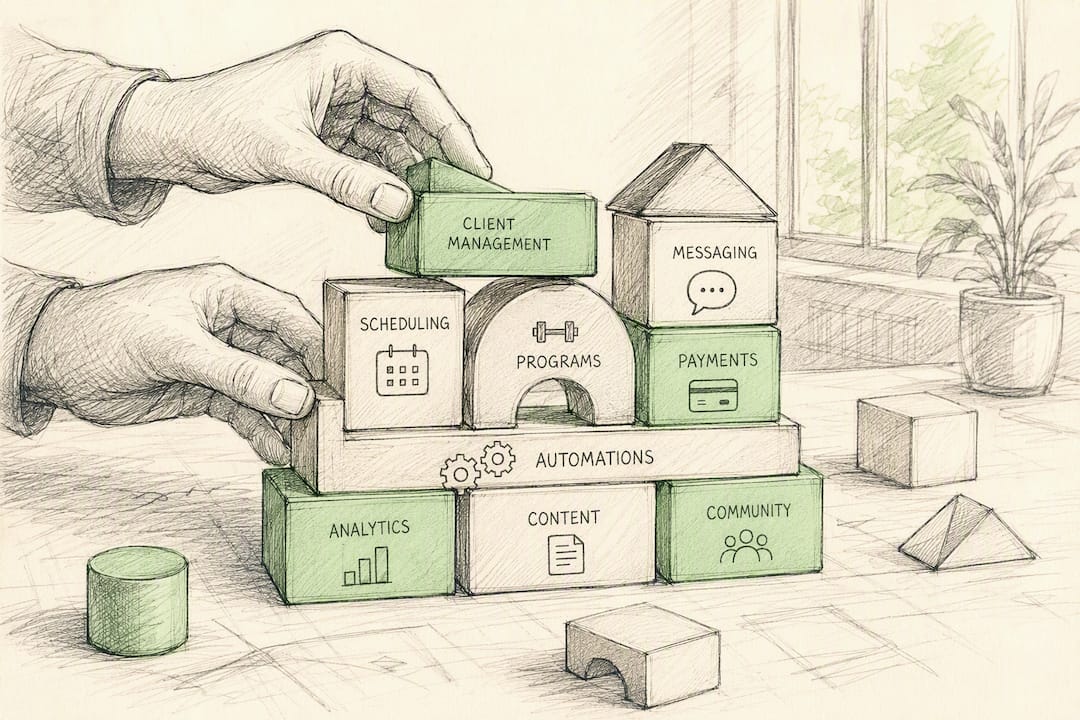
Every hub includes unlimited members, moderators, and products, so growth doesn't trigger a price jump or force you into a new tier. The built-in storefront replaces whatever checkout tool you were running alongside Kajabi, and if you operate more than one business, unlimited hubs live under one account instead of one community per login.
For coaches migrating off Kajabi, this collapses several of the "what do I rebuild this in" decisions into one platform. Three coaches have already completed that move onto Hopper.
[Case study and author credentials placeholder for future insertion]
What Most Migration Guides Get Backward
Most advice on leaving Kajabi treats the platform swap as the hard part. It isn't. Picking a new tool takes an afternoon. The part that actually breaks businesses is the sequencing: people cut DNS before testing, or they migrate content but forget their automations were doing invisible work, like tagging leads or triggering win-back emails.
The conventional wisdom says "back up your content." That's incomplete. Your automations and funnels are the parts with no export button, and they're exactly what people forget to document until it's too late.
If I had to pick one priority above all others, it's this: run the parallel period. Two to four weeks of both platforms live, with real acceptance tests, not assumptions, is the single habit that separates a clean migration from a support-ticket avalanche. SEO preservation matters, but it's a spreadsheet problem. Member continuity is a communication and testing problem, and it's the one people underestimate.
— Cedrik
Get a Free Migration Handled for You
Auditing every course, automation, and contact list yourself is doable, but it's also the part of this process most coaches put off for months. Hopper's free migration service handles the content structuring and transfer work directly, so your courses, community, and storefront move into one hub without you rebuilding everything from a spreadsheet.

The offer covers moving your existing content and setup into a Hopper hub, unlimited members and products included, with native iOS and Android apps live from day one. You still run the parallel period. Keep Kajabi active, test real purchases and enrollments on Hopper first, and only cancel your old subscription once everything checks out. Compare the actual cost tradeoffs of your current stack of separate tools before you finalize anything, then start your migration whenever you're ready.
Sources
For platform-specific detail beyond this guide, see what actually transfers when moving from Kajabi to Thinkific, a full walkthrough of migrating Kajabi content to WordPress, and the WordPress plugin directory for rebuilding self-hosted functionality.
- Moving from Kajabi to Thinkific: What Actually Transfers (And What You Will Lose)
- How to Migrate From Kajabi to WordPress (2026 Guide) - eSEOspace
FAQ
What Are the Biggest Downsides of Kajabi?
The most common complaints are pricing that climbs sharply at higher contact tiers, hard caps on contacts that force plan upgrades as you grow, and a checkout and community experience that feels dated compared to newer all-in-one platforms.
Can I Download My Videos From Kajabi?
Yes, Kajabi allows direct video file downloads, along with CSV exports for contacts and transaction history, though funnel and automation logic won't export in a usable format.
Is Kajabi Worth the Cost for Course Creators?
It depends on your contact volume and growth stage. Many coaches find the value drops once they hit contact caps or start paying for features, like the mobile app, that platforms such as Hopper include at a flat rate.
Do I Still Need a Separate Website if I Use Kajabi?
Not necessarily. Kajabi includes page-building tools, but course creators who want more SEO control or a distinct brand presence often run a separate WordPress site alongside it, or migrate to a platform with a built-in landing page and storefront instead.
How Long Does It Take to Migrate off Kajabi?
A simple setup with one course and no active funnels typically takes 2 to 4 weeks, while businesses with multiple funnels, integrations, and hundreds of active subscribers should plan for 6 to 12 weeks.
Recommended
On our list and want off? .